
Proudly created by Oisin Curran
About Me
Technically astute and data-driven professional with hands-on experience in Artificial Intelligence for games, and websites development. Capable of providing technical and administrative support, while collaborating with technical teams for all IT related queries regarding software, hardware, and business systems according to SLAs. Elevate organisational productivity and technical infrastructure through researching, installing, configuring, and administering advanced systems/platforms that minimise vulnerabilities. Good interpersonal and English communications skills, great teammate with the ability to learn new languages and technologies in a fast-paced environment.CV
Eduction
National University of Ireland Galway
National University of Ireland Galway, 2013 – 2018
• Final Year Project: Programming of Artificial Neuro Network bot to play Super Mario World™ using the
NEAT-Algorithm - Graded with 1.1.
• Key Projects: SLIM – an award-winning project (as part of a competition in NUIG) that involved
inventing a product, identifying user’s interest, and creating a business plan before presenting it to a
jury of investors.
AI and Future Technology
CCT College Dublin, 2020 - 2021
Acquire comprehensive knowledge of Artificial Intelligence, Object Oriented Programming, and Machine
Learning. Develop competencies in meta-heuristic optimisation, data visualisation and communication, and
analytical methods for Big Data. Build an understanding of AI and associated underlying concepts and
components.
• Gained practical knowledge of programming languages such as Python.
Work Experience
IT Support & Web Design
Connemara English Language School, Galway, Ireland 2017 – 2021
Installed and configured computer hardware operating systems and applications utilising exceptional
technical skills. Monitored and maintained computer systems and networks. Delivered technical expertise
in troubleshooting system and network problems, diagnosing and solving hardware or software faults.
Responded in a timely manner to service issues and requests. Minimised downtime and maintained business
productivity through maintenance of IT-Infrastructure. Maintained the appearance of websites by
enforcing content standards. Communicated design ideas using user flows, process flows, site maps, and
wireframes. Prepared design plans and presented the website structure. Provided technical support on
campus for staff to ensure seamless networking processes.
• Contributed significantly in production and installation of current websites using Wordpress.
• Utilised strong technical attributes in developing two websites.
App Developer
SQUAREV.Media, Galway City, 2017 – 2017
Developed software solutions to meet customer needs. Created and implemented the source code of new
applications. Tested source code and debugged code. Collaborated with development team and other IT
staff to set specifications for new applications. Wrote high quality source code to program complete
applications within deadlines. Performed unit and integration testing before launch. Conducted
functional and non-functional testing. Evaluate existing applications to reprogram, update and add new
features. Developed technical documents and handbooks to accurately represent application design and
code
Developer Projects
These project I devopled along, in collage or at work.Script that uploades the class matherial
Python script that sort out video recordings, lecture slides and class material from each class and
sort them into
weeks after uploading them to moodle
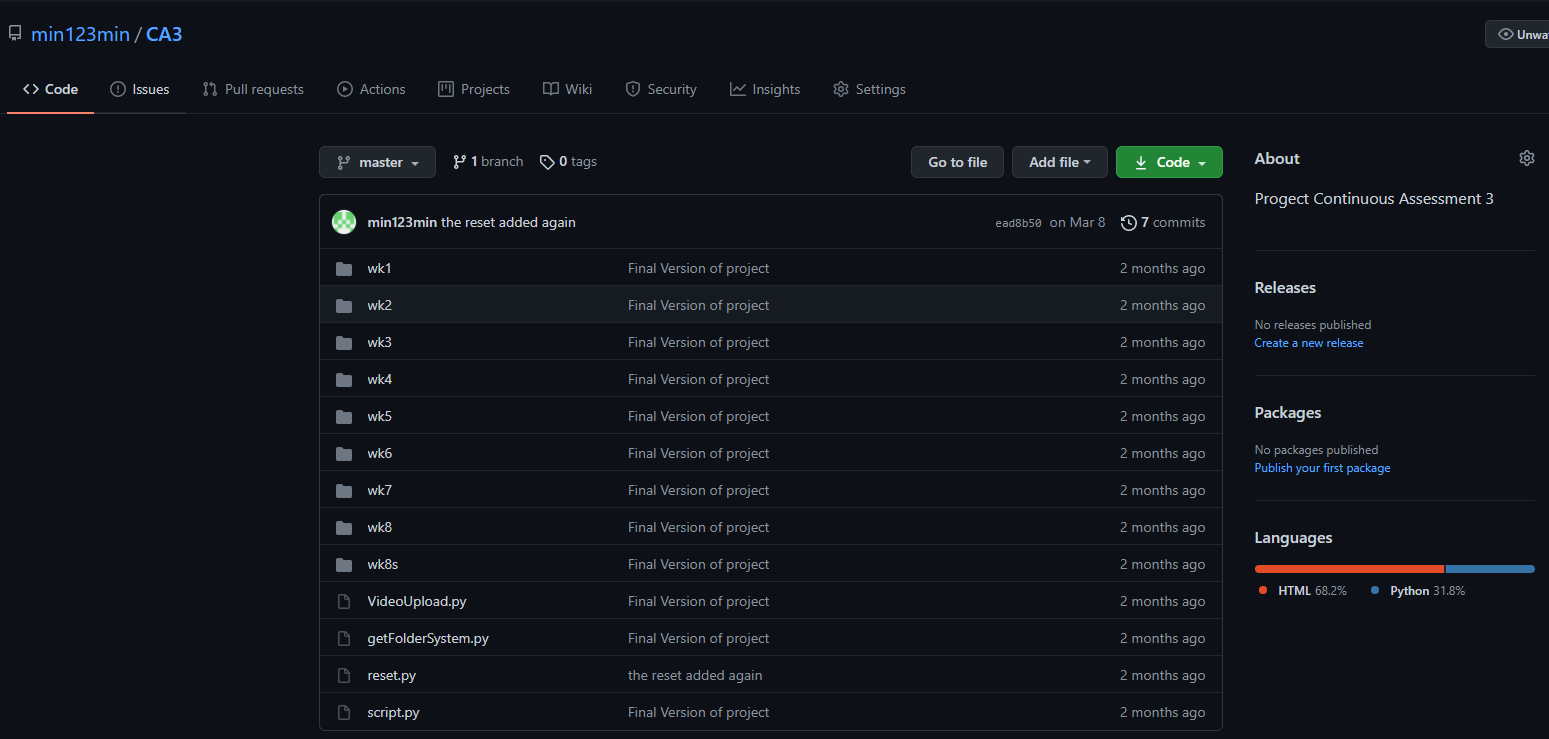
In this project, the brief was to write a script that could run on GitHub and when a new item was added(lecture slide or notes) the script would run and would check google drive to see if the class recording was also done and if so it would add it. We are given a key to add to the server and a course ID to upload to.
I use BeautifulSoup to read in what files are uploaded and compare them to what on the file system and any missing data is added by making a payload of the relative data and upload in the right section by checking the data on the files to see what week they fall under.
For the videos on google drive. they are checked and sorted into order and then links are produced and then uploaded onto the moodle page into the there relative section.
from requests import get, post
                  import json
                  from dateutil import parser
                  import datetime
                  import requests
                  import lxml
                  from bs4 import BeautifulSoup
                  import bs4
                  import os
                  import numpy as np

                  # this is what is needed to grab ever thing needed
                  GoogleDrive = "https://drive.google.com/drive/folders/1pFHUrmpLv9gEJsvJYKxMdISuQuQsd_qX"
                  courseid = "34"
                  KEY = "8cc87cf406775101c2df87b07b3a170d"
                  URL = "https://034f8a1dcb5c.eu.ngrok.io"
                  ENDPOINT = "/webservice/rest/server.php"
                  video_titles = []
                  links = []
                  #this grabs the url for the videos
                  def GdriveScrape(url):
                      page = requests.get(url)
                      data = page.text
                      soup = bs4.BeautifulSoup(data, 'html.parser')
                      videos = soup.find_all('div',class_ = 'Q5txwe')
                      for video in videos:
                          video_titles.append(video)
                          links.append(video.parent.parent.parent.parent.attrs['data-id'])
                      return links,video_titles
                  NewLinks, newVideoTitles = GdriveScrape(GoogleDrive)

                  class LocalUpdateSections(object):
                      def __init__(self, cid, sectionsdata):
                          self.updatesections = call(
                              'local_wsmanagesections_update_sections', courseid=cid, sections=sectionsdata)

                  def call(fname, **kwargs):
                      parameters = rest_api_parameters(kwargs)
                      parameters.update(
                          {"wstoken": KEY, 'moodlewsrestformat': 'json', "wsfunction": fname})
                      response = post(URL + ENDPOINT, data=parameters).json()
                      if type(response) == dict and response.get('exception'):
                          raise SystemError("Error calling Moodle API\n", response)
                      return response
from requests import get, post
import json
from dateutil import parser
import datetime
import requests
import lxml
from bs4 import BeautifulSoup
import bs4
import os
import numpy as np
# this is what is needed to grab ever thing needed
GoogleDrive = "https://drive.google.com/drive/folders/1pFHUrmpLv9gEJsvJYKxMdISuQuQsd_qX"
courseid = "34"
KEY = "8cc87cf406775101c2df87b07b3a170d"
URL = "https://034f8a1dcb5c.eu.ngrok.io"
ENDPOINT = "/webservice/rest/server.php"
video_titles = []
links = []
#this grabs the url for the videos
def GdriveScrape(url):
page = requests.get(url)
data = page.text
soup = bs4.BeautifulSoup(data, 'html.parser')
videos = soup.find_all('div',class_ = 'Q5txwe')
for video in videos:
video_titles.append(video)
links.append(video.parent.parent.parent.parent.attrs['data-id'])
return links,video_titles
NewLinks, newVideoTitles = GdriveScrape(GoogleDrive)
class LocalUpdateSections(object):
def __init__(self, cid, sectionsdata):
self.updatesections = call(
'local_wsmanagesections_update_sections', courseid=cid, sections=sectionsdata)
def call(fname, **kwargs):
parameters = rest_api_parameters(kwargs)
parameters.update(
{"wstoken": KEY, 'moodlewsrestformat': 'json', "wsfunction": fname})
response = post(URL + ENDPOINT, data=parameters).json()
if type(response) == dict and response.get('exception'):
raise SystemError("Error calling Moodle API\n", response)
return response
Apps Produced for SQUAREV.Media for Andriod and IOS
Using the platform of Xamarin which is Microsoft-owned product that is spiclised in cross-platform
for both andriod or IOS
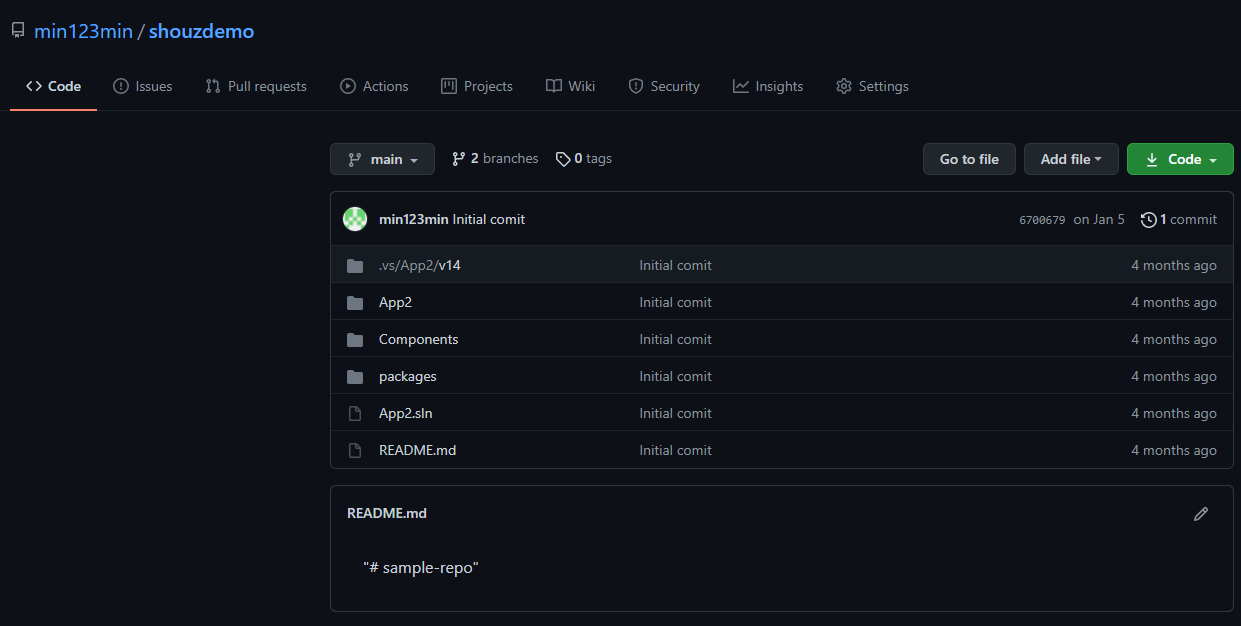
The clients were looking for an overall product that would record footage for selling a house on a high-end phone on a gimbal for stable video. It then from the app get sent up to a server and get processed for pre-set video format for Real estate companies that using the services.
My job was to produce the Apps for both App stores and to be able to assess the camera and change the camera settings into a very special format into perfect for the preset format. When all the footage is taken then the system is synced with the server. The apps were written in C# and Java.
Another big part of this project is to fill out the forms for Andriod and IOS so be able put them onto the stores.
                    using Android.App;
                    using Android.OS;
                    using Android.Widget;
                    using System.Timers;
                    using System;
                    using Android.Media;
                    namespace App2
                    {
                        [Activity(Label = "TakeVideo", Icon = "@drawable/icon")]
                        class TakeVideo : Activity
                        {
                            MediaRecorder recorder;
                            private int StartCount = 10;
                            private Timer StartTimer;
                            public string CountDown;
                            private Button StartVid, ReplyVid;
                            public VideoView video;
                            public string sampleVideo;
                            public string path;
                            protected override void OnCreate(Bundle bundle)
                            {
                                base.OnCreate(bundle);
                                SetContentView(Resource.Layout.TakeVideoPage);
                                StartVid = FindViewById(Button)(Resource.Id.Record);
                                ReplyVid = FindViewById(Button)(Resource.Id.Reply);
                                CountDown = (string)FindViewById(TextView)(Resource.Id.TextCountDown);
                                video = FindViewById(VideoView)(Resource.Id.SampleVideoView);
                                path = Android.OS.Environment.ExternalStorageDirectory.AbsolutePath + "/test/testwork.mp4";
                                StartVid.Click += StartFilimg;
                                ReplyVid.Click += replyTheVideo;
                            }

                            private void replyTheVideo(object sender, EventArgs e)
                            {
                                if (recorder != null)
                                {
                                    recorder.Stop();
                                    recorder.Release();
                                }
                                var uri = Android.Net.Uri.Parse(path);
                                video.SetVideoURI(uri);
                                video.Start();
                            }

                            private void StartFilimg(object sender, EventArgs e)
                            {
                                base.OnResume();
                                StartTimer = new Timer();
                                StartTimer.Interval = 1000;
                                StartTimer.Elapsed += Timer_Elapsed;
                                StartTimer.Start();
                            }

                            private void Timer_Elapsed(object sender, ElapsedEventArgs e)
                            {
                                while (StartCount > 0)
                                {
                                    sampleVideo = " " + StartCount;

                                    if (StartCount == 1)
                                    {
                                        RunOnUiThread(() =>
                                        {
                                            video.StopPlayback();

                                            recorder = new MediaRecorder();
                                            recorder.SetVideoSource(VideoSource.Camera);
                                            recorder.SetAudioSource(AudioSource.Mic);
                                            recorder.SetOutputFormat(OutputFormat.Default);
                                            recorder.SetVideoEncoder(VideoEncoder.Default);
                                            recorder.SetAudioEncoder(AudioEncoder.Default);
                                            recorder.SetOutputFile(path);
                                            recorder.SetPreviewDisplay(video.Holder.Surface);
                                            recorder.SetOrientationHint(90);
                                            recorder.Prepare();
                                            recorder.Start();
                                        });
                                    }
                                    StartCount--;
                                }
                            }
                        }
                    }
using Android.App;
using Android.OS;
using Android.Widget;
using System.Timers;
using System;
using Android.Media;
namespace App2
{
[Activity(Label = "TakeVideo", Icon = "@drawable/icon")]
class TakeVideo : Activity
{
MediaRecorder recorder;
private int StartCount = 10;
private Timer StartTimer;
public string CountDown;
private Button StartVid, ReplyVid;
public VideoView video;
public string sampleVideo;
public string path;
protected override void OnCreate(Bundle bundle)
{
base.OnCreate(bundle);
SetContentView(Resource.Layout.TakeVideoPage);
StartVid = FindViewById(Button)(Resource.Id.Record);
ReplyVid = FindViewById(Button)(Resource.Id.Reply);
CountDown = (string)FindViewById(TextView)(Resource.Id.TextCountDown);
video = FindViewById(VideoView)(Resource.Id.SampleVideoView);
path = Android.OS.Environment.ExternalStorageDirectory.AbsolutePath + "/test/testwork.mp4";
StartVid.Click += StartFilimg;
ReplyVid.Click += replyTheVideo;
}
private void replyTheVideo(object sender, EventArgs e)
{
if (recorder != null)
{
recorder.Stop();
recorder.Release();
}
var uri = Android.Net.Uri.Parse(path);
video.SetVideoURI(uri);
video.Start();
}
private void StartFilimg(object sender, EventArgs e)
{
base.OnResume();
StartTimer = new Timer();
StartTimer.Interval = 1000;
StartTimer.Elapsed += Timer_Elapsed;
StartTimer.Start();
}
private void Timer_Elapsed(object sender, ElapsedEventArgs e)
{
while (StartCount > 0)
{
sampleVideo = " " + StartCount;
if (StartCount == 1)
{
RunOnUiThread(() =>
{
video.StopPlayback();
recorder = new MediaRecorder();
recorder.SetVideoSource(VideoSource.Camera);
recorder.SetAudioSource(AudioSource.Mic);
recorder.SetOutputFormat(OutputFormat.Default);
recorder.SetVideoEncoder(VideoEncoder.Default);
recorder.SetAudioEncoder(AudioEncoder.Default);
recorder.SetOutputFile(path);
recorder.SetPreviewDisplay(video.Holder.Surface);
recorder.SetOrientationHint(90);
recorder.Prepare();
recorder.Start();
});
}
StartCount--;
}
}
}
}
Data Analytics Projects
These project I devopled along, in collage or at work.Data Analytics names throw the generation
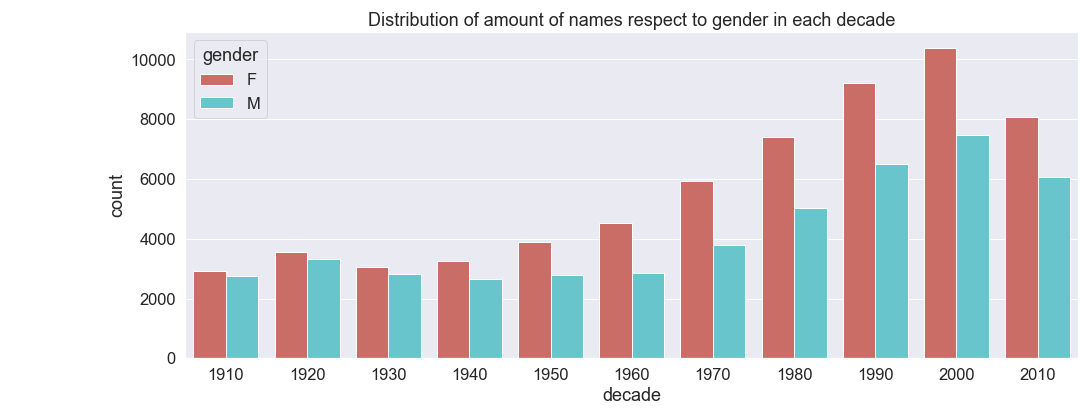
Using Provide data I needed to manipulate the data into certain visualization to show required trends
and shifts through the generations
This project for collage involved going through the data and see what trends can be found and see names rise and fall through the generations. This also involes checking the amount and varienty of names being checked.
GenderCount = NamesByDecade.groupby(by=["decade" , "gender"])['count'].count()
FixedGenderCount= GenderCount.reset_index()
sns.set(font_scale=1.5)
plt.figure(figsize=(16, 6))
graph4 = sns.barplot(x="decade", y="count", hue="gender", data=FixedGenderCount,palette="hls",dodge=True)
graph4.set(title='Distribution of amount of names respect to gender in each decade');
GenderCount = NamesByDecade.groupby(by=["decade" , "gender"])['count'].count()
FixedGenderCount= GenderCount.reset_index()
sns.set(font_scale=1.5)
plt.figure(figsize=(16, 6))
graph4 = sns.barplot(x="decade", y="count", hue="gender", data=FixedGenderCount,palette="hls",dodge=True)
graph4.set(title='Distribution of amount of names respect to gender in each decade');
Going through netflix data to see the trends of the movies and shows
I was looking to see what genres are popular and see what predictions we can make about the
popularity of movies and shows. Netflix does not provide a score for movies so need to pair Netflix
data with an IMDB score.
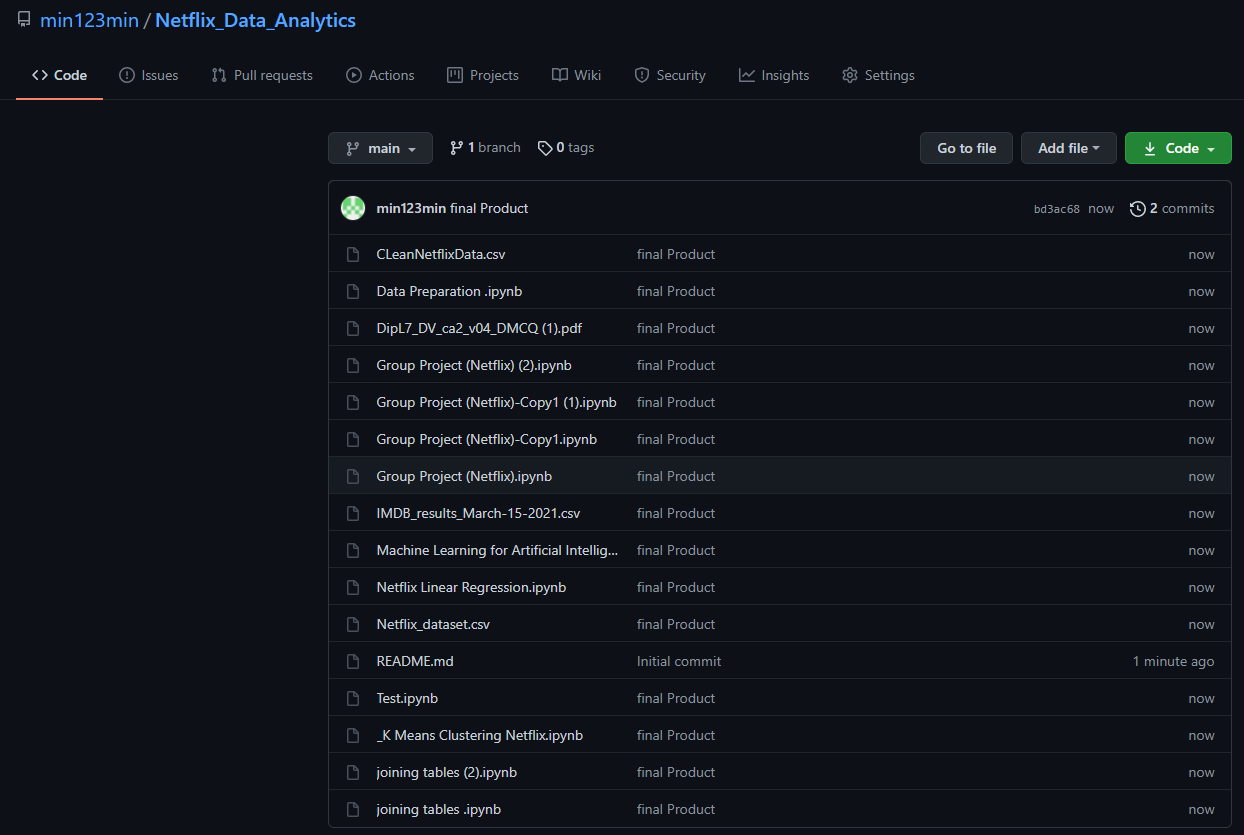
I used beautfulSoap to scrap the IMDB score and then compare what shows the Netflix.CVS have and I dropped shows that did not have a match. This What is used to just set up the data
With this I found out that people like longer movies in general. Tv shows that run longer also have higher popluarty compared to shows that only run for a season or two. With this we also found what geners are popular and all of this can be used to 87% accurately to prodict how popular a show is off these points.
#IMDB Access/Search and Parse HTML to grab title_ID
def grab_ID(title,year,media_type):
    encoding = 'utf-8' #standard internet encoding
    find_url = 'https://www.imdb.com/find' #base search URL for IMDB
    values = {'q':title} # What we are searching for
    query = urllib.parse.urlencode(values).encode(encoding) #parsing the query and encoding correctly for web to understand it
    req = urllib.request.Request(find_url,query) #request: the "link" you can paste in the search bar
    resp = urllib.request.urlopen(req) #sending the request and recording the response
    html = BeautifulSoup(resp,"html") #using Beautiful Soup 4 to process the HTML response
    #Finding top 3 results through (td) tags with result text class in the HTML response. (td) is a table cell in HTML
    search = html.findAll("td", {"class": "result_text"})[:3]
    if len(search) > 0:
        for item in search:
            if  str(item.text).find(str(year)) > 0:
                if str(media_type) == "TV Show":
                    if str(item.text).find("Series") > 0:
                        title_names = str(item.text)
                        title_IDs = str(item.a["href"])
                        #confidence =
                        break
                    else:
                        #confidence =
                        title_names = str(item.text)
                        title_IDs = str(item.a["href"])
                        break
                else:
                    title_names = str(item.text)
                    title_IDs = str(item.a["href"])
                    #confidence =
                    break

            else:
                if str(media_type) == "TV Show":
                    if str(item.text).find("Series") > 0:
                        title_names = str(item.text)
                        title_IDs = str(item.a["href"])
                        #confidence =
                        break
                    else:
                        title_names = str(item.text)
                        title_IDs = str(item.a["href"])
                        #confidence =
                        break
                else:
                    title_names = "NaN"
                    title_IDs = "NaN"
                    #confidence =
                    break
    else:
        title_names = "NaM"
        title_IDs = "NaN"
        #confidence =

    return title_names, title_IDs
#IMDB Access/Search and Parse HTML to grab title_ID
def grab_ID(title,year,media_type):
encoding = 'utf-8' #standard internet encoding
find_url = 'https://www.imdb.com/find' #base search URL for IMDB
values = {'q':title} # What we are searching for
query = urllib.parse.urlencode(values).encode(encoding) #parsing the query and encoding correctly for web to understand it
req = urllib.request.Request(find_url,query) #request: the "link" you can paste in the search bar
resp = urllib.request.urlopen(req) #sending the request and recording the response
html = BeautifulSoup(resp,"html") #using Beautiful Soup 4 to process the HTML response
#Finding top 3 results through (td) tags with result text class in the HTML response. (td) is a table cell in HTML
search = html.findAll("td", {"class": "result_text"})[:3]
if len(search) > 0:
for item in search:
if str(item.text).find(str(year)) > 0:
if str(media_type) == "TV Show":
if str(item.text).find("Series") > 0:
title_names = str(item.text)
title_IDs = str(item.a["href"])
#confidence =
break
else:
#confidence =
title_names = str(item.text)
title_IDs = str(item.a["href"])
break
else:
title_names = str(item.text)
title_IDs = str(item.a["href"])
#confidence =
break
else:
if str(media_type) == "TV Show":
if str(item.text).find("Series") > 0:
title_names = str(item.text)
title_IDs = str(item.a["href"])
#confidence =
break
else:
title_names = str(item.text)
title_IDs = str(item.a["href"])
#confidence =
break
else:
title_names = "NaN"
title_IDs = "NaN"
#confidence =
break
else:
title_names = "NaM"
title_IDs = "NaN"
#confidence =
return title_names, title_IDs
Contact Me
Feel free to conatct me at any timePhone Number: +353892338712
Email: oisin18curran@gmail.com